Start with the Top 20.
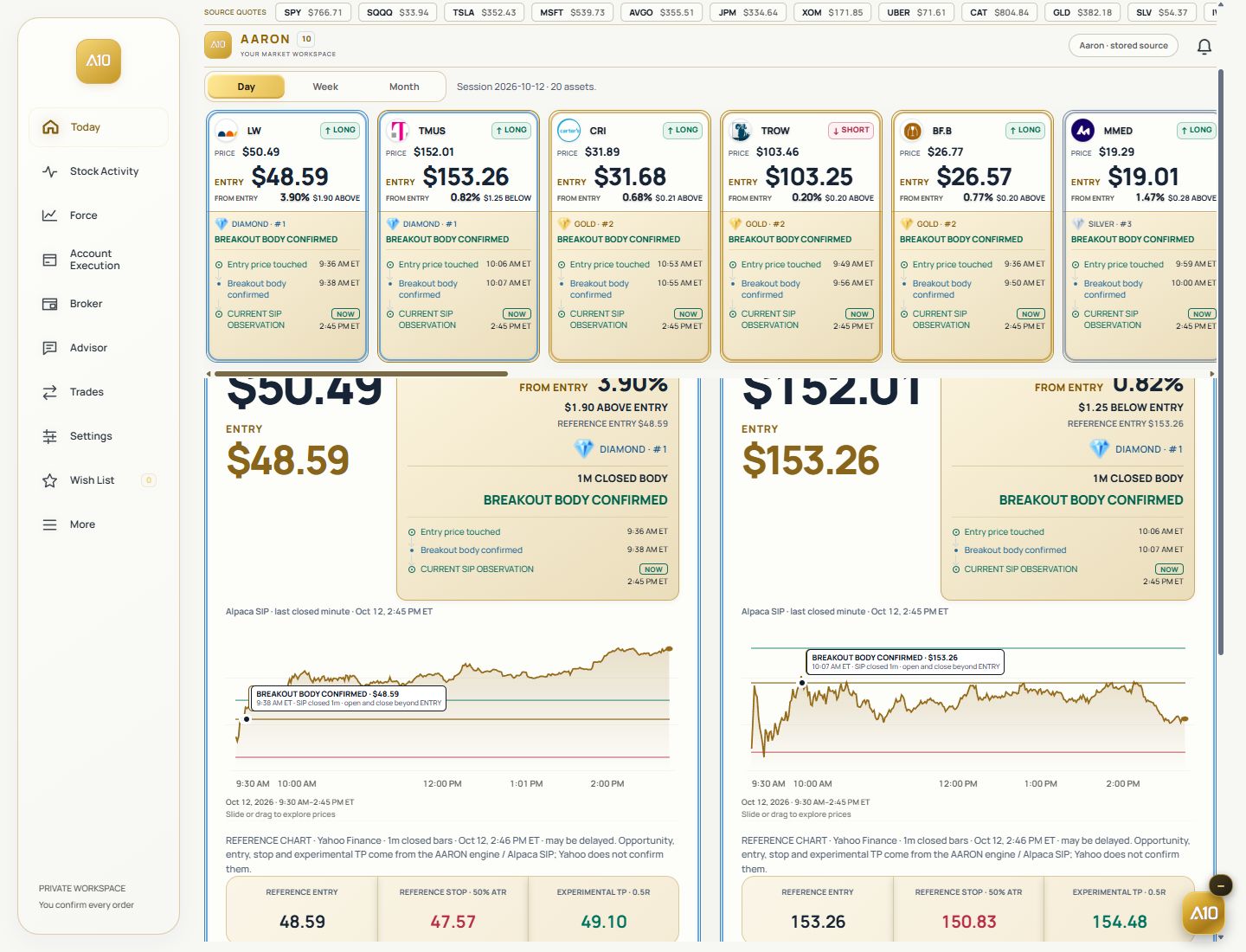
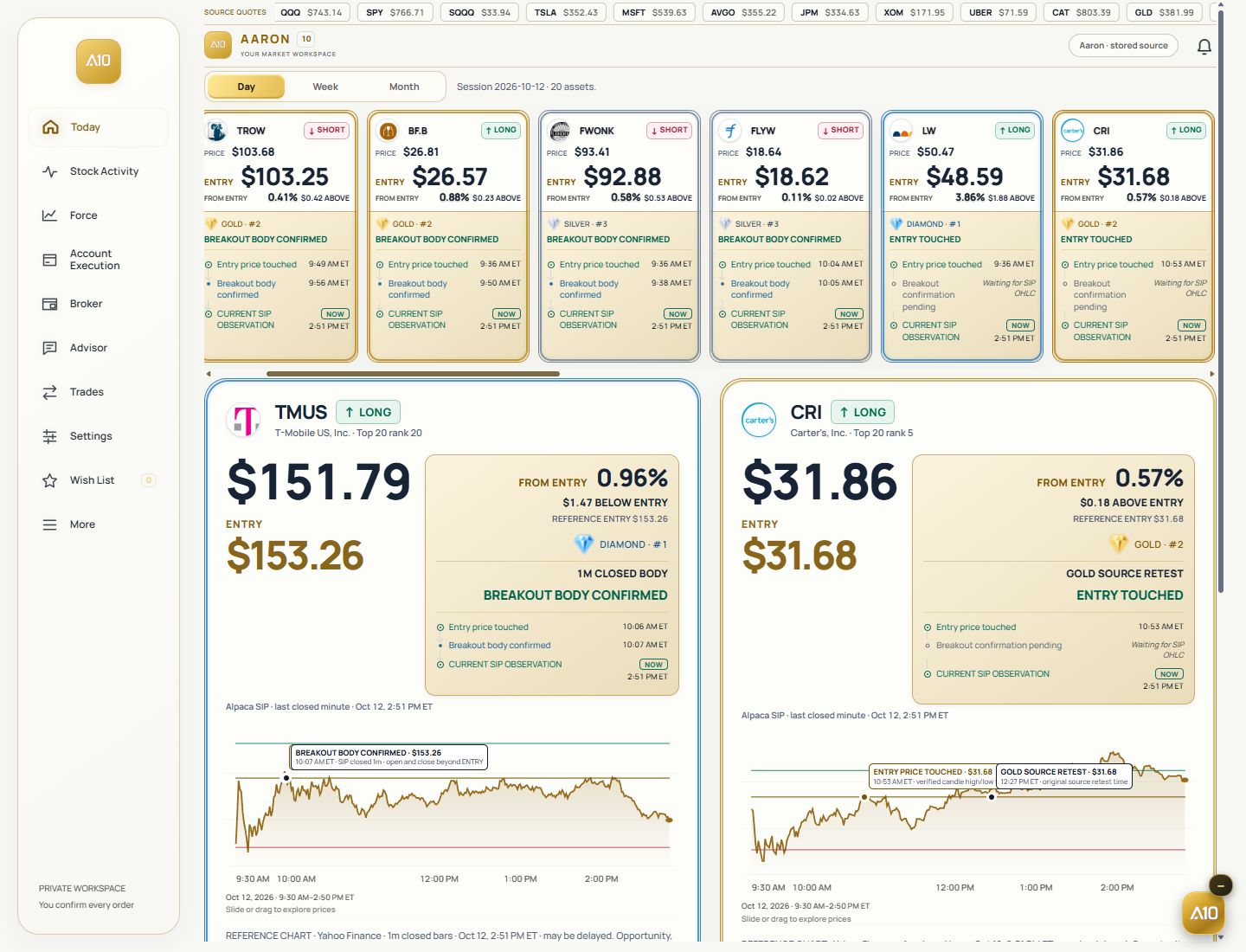
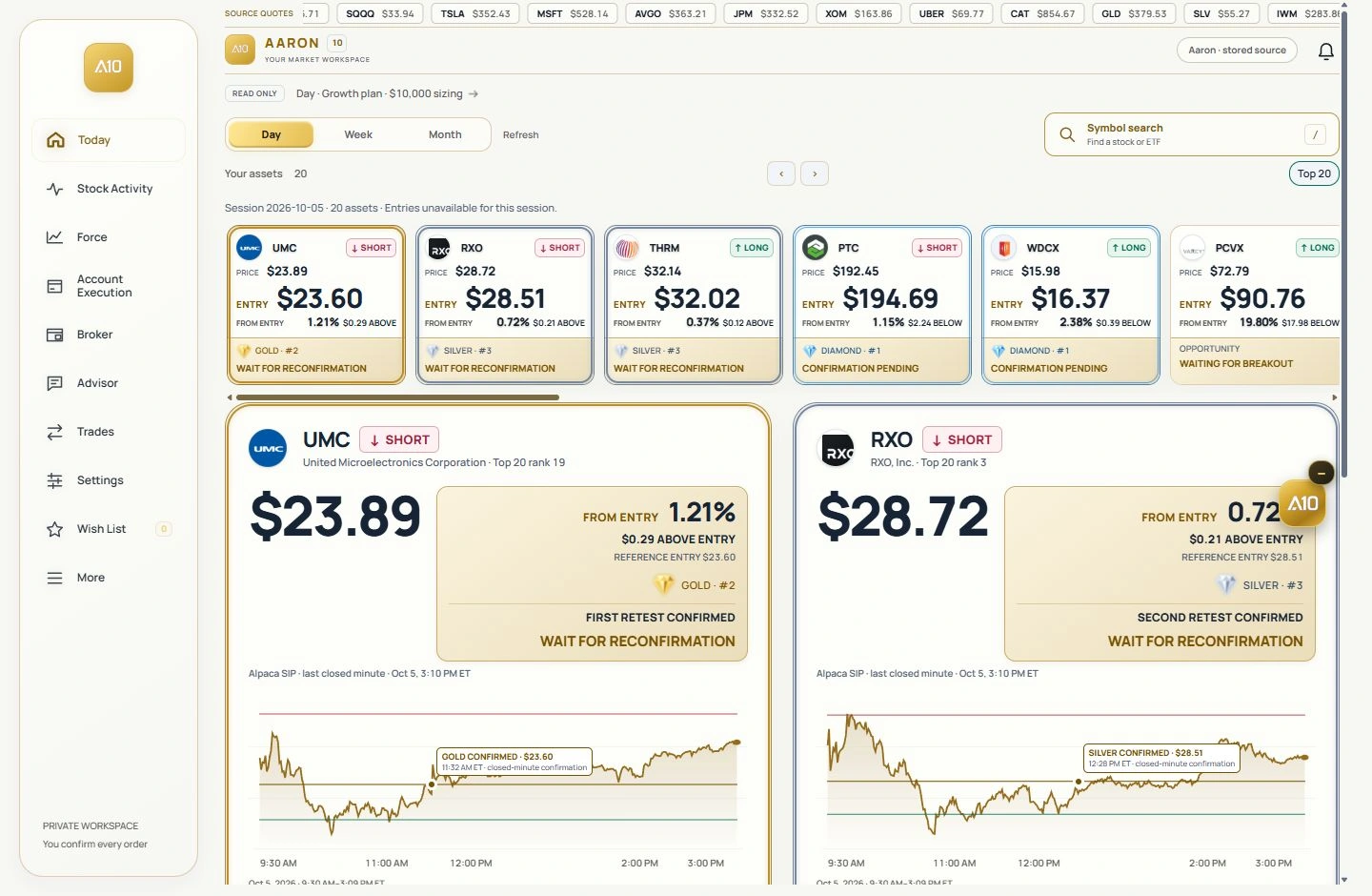
Explore the assets selected by AARON for the session. Review LONG or SHORT direction and the reference entry.

See which assets to watch, what happened at the entry, and where price stands now—all in one workspace.
Explore o painel oficial AARON 10.
Explore Diamond, Gold e Silver junto de cada ativo. Consulte o status do sinal e os níveis de referência juntos.
Escolha um horizonte acima dos ativos. Abra o painel oficial para explorar Eventos na entrada e histórico.
Compare o preço com as referências de entrada, stop e alvo. Leia o contexto do sinal antes de decidir.
AARON, IN YOUR EVERYDAY.
Keep your assets and market context close. Take a moment to observe, wait or act.

Your market. Your pace.
Explore the official panel →AARON selects the session’s Top 20 and keeps price, direction, entry and source events together.
Explore the assets selected by AARON for the session. Review LONG or SHORT direction and the reference entry.
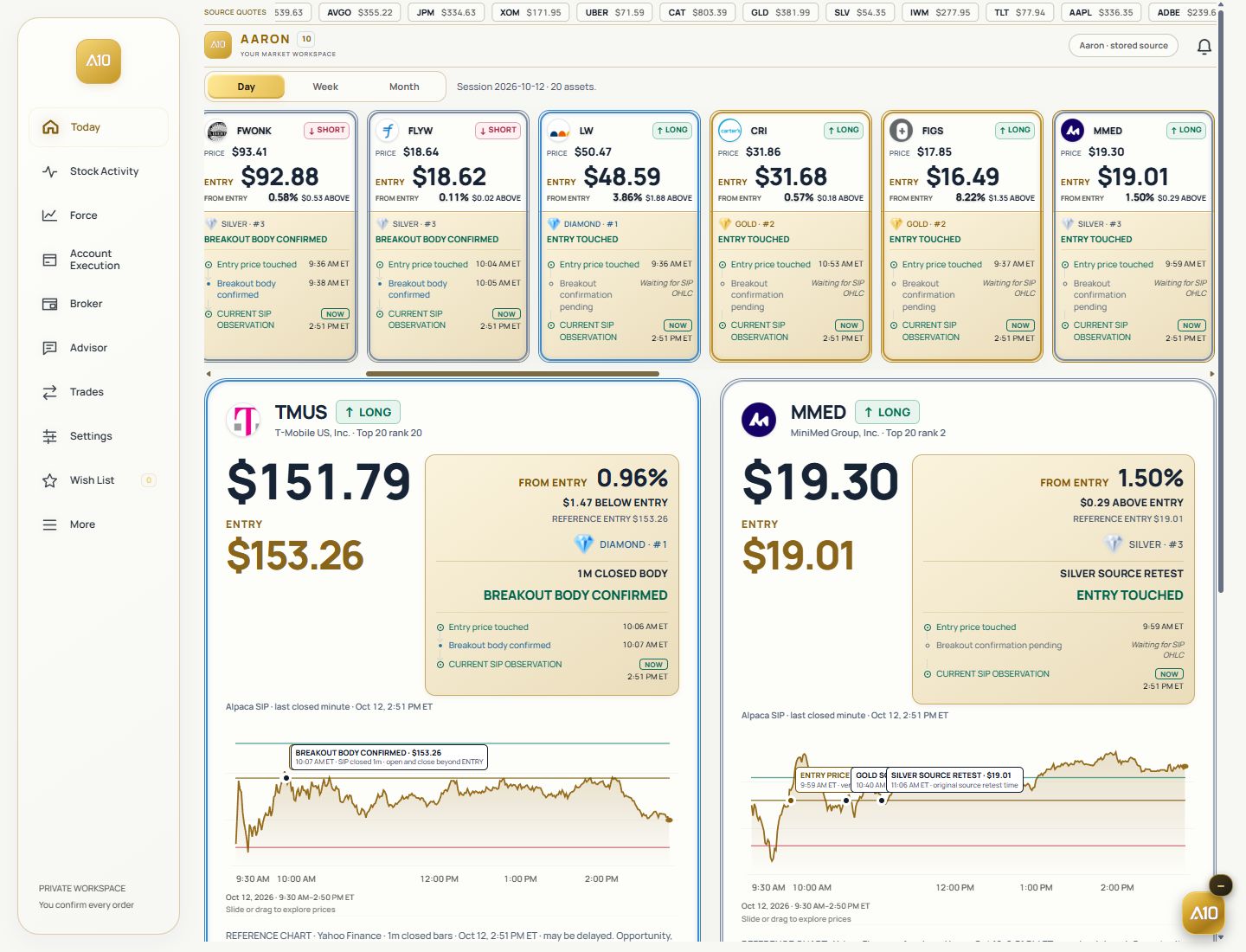
Diamond, Gold and Silver identify the entry-touch sequence. Read the event time and the current status separately.
Review the chart, stop and target references, then size a position with the capital and risk settings you supply.
These labels describe the sequence of entry events, not a score, a win rate or a promise of profit.
The first breakout event recorded by the source. Check whether the entry was touched and whether breakout body confirmation is still pending or confirmed.
Open the original capture ↗
The first retest recorded after the initial event. Its own time stays in the history alongside the reference entry.
Open the original capture ↗
The second retest recorded in the sequence. See when it happened and whether the setup is still valid.
Open the original capture ↗
Entry touched, breakout confirmed and setup invalidated are different states. A market event does not prove that a broker order was filled.
See the references before deciding what to do. Your capital setting is a planning input, not a deposit.
See the current observation, reference entry and distance from entry in dollars and percent.
Read the source levels and distinguish the source target from the target used by your position plan.
Account Execution shows a reference position size and planned gain or loss. Reviewing a plan does not submit an order.
Follow the Top 20, entry events and your position plan on desktop or in the AARON app.
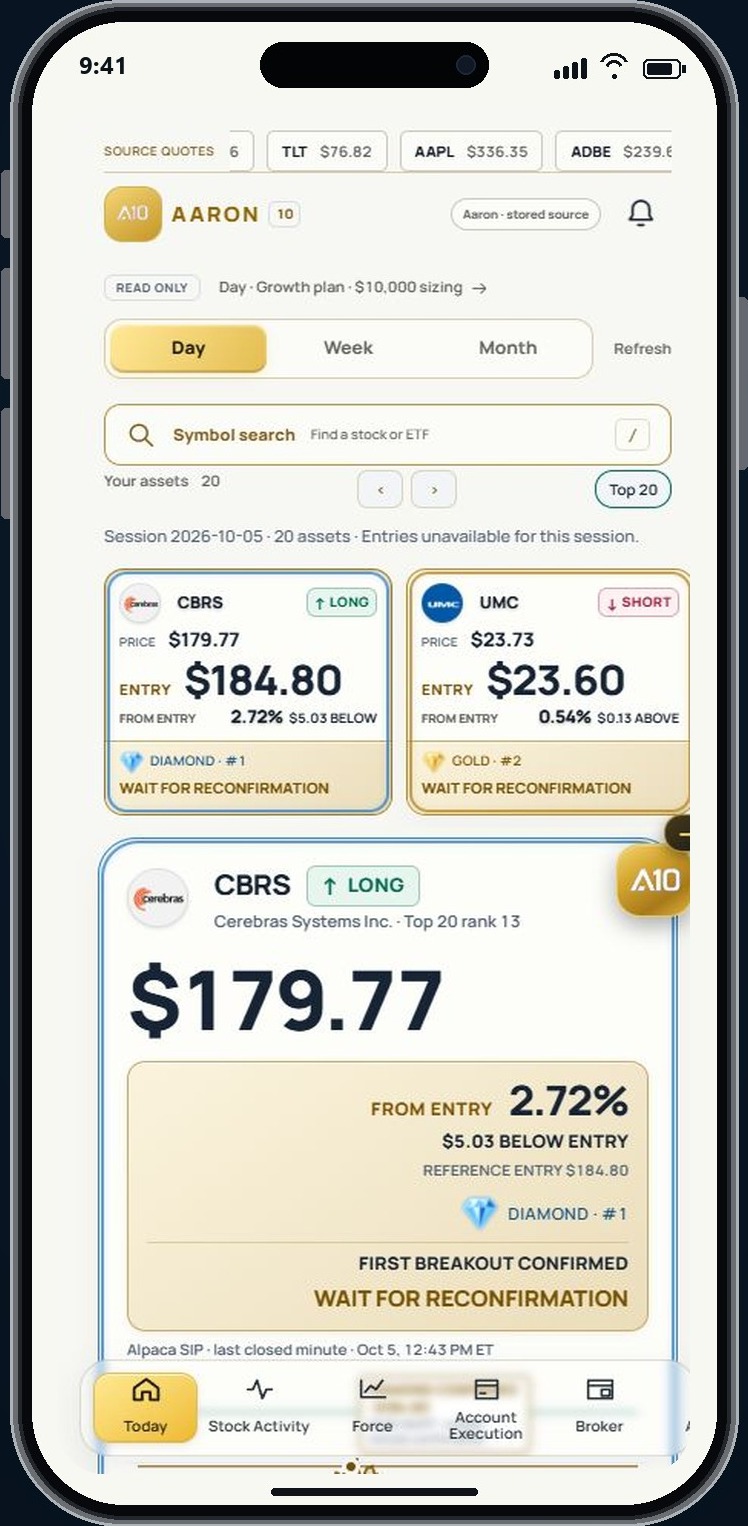
Explore company context and the market intensity reading alongside the selected asset.
Keep conversations, source-event history and preferred assets in the same workspace.
Choose light or dark display and account alert preferences. Background notifications depend on device permission and registration.
Receive a quick alert on your iPhone. Hold to expand it and see the chart, current price and reference levels together.
Illustrative previews. Delivery depends on device permission, registration and your alert preferences. Alerts are informational; viewing one does not place an order.
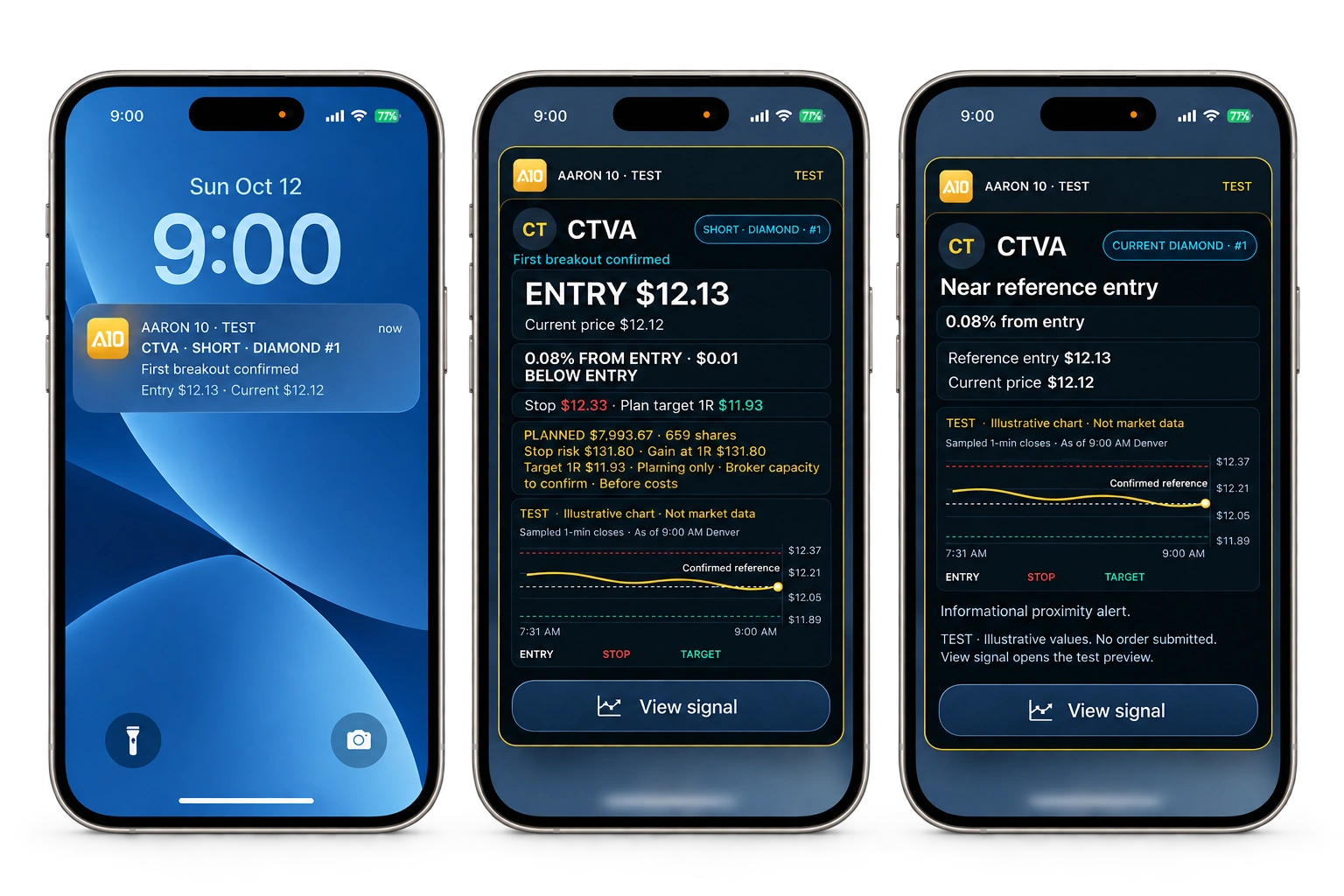
Swipe to explore the three previews
A clear sequence helps you distinguish what happened from what is available now.
Start with the session, selected asset, source timestamp and direction.
Read Diamond, Gold or Silver, the entry-touch time and breakout confirmation status.
Check pending, invalidated or stale states before reviewing the position plan or broker workspace.
A few things worth knowing about AARON.
You can explore the public demonstration without connecting a broker. Broker integrations, where available, are separate from viewing market analysis.
The demonstration is read-only. Automated execution is separate and requires an available integration and your explicit setup. Viewing a signal does not place an order.
No. They describe how a setup meets analytical criteria. Market conditions can change and any setup can fail.
Join the waitlist to receive launch updates and be considered for early access. Access is released by invitation; joining does not create an app account or start a free trial.
Passes provide Pro access for the purchased period without automatic renewal. Activate when ready; once started, the countdown continues while the app is closed.
One, three or all session-selected assets. Diamond, Gold and Silver event context on every plan.
The full session selection and Pro tools. The same features; only the access period changes.
60 minutes of full AARON Pro access
A focused look at the full workspace.
7 days of full AARON Pro access
Follow the market across multiple sessions.
30 days of full AARON Pro access
Keep the full workspace with you for a month.
Join the waitlist for launch updates and early-access invitations.
Deixe o motor ficar de fora do ruído pra você aumentar nos poucos trades em que tudo concorda.
O AARON é uma ferramenta analítica de sinais, não consultoria de investimento. Operar envolve risco substancial de perda. Resultados de backtest e simulação são ilustrativos e não garantem performance futura.
Market analysis and investment decisions. AARON provides analytical tools, market context and educational information. Signals, charts and reference levels do not constitute personalized investment advice. Decisions to buy, sell or stay out of the market remain the responsibility of the user.
Risks and classifications. Investing and trading involve the risk of loss of capital. GOLD, SILVER and other classifications represent analytical criteria used by the system; they do not guarantee safety, accuracy or profitability. Entry, stop and target references do not guarantee execution at those prices or, by themselves, limit losses.
Historical results and demonstrations. Past performance, backtests and simulations do not guarantee future results. Simulated results may not reflect costs, liquidity, slippage or actual execution conditions. Images, videos and examples identified as demonstrations are illustrative and should not be interpreted as current signals.
Data and availability. Quotes, indicators and notifications may be delayed, inaccurate or interrupted. Feature availability depends on the selected plan, device, connection and services involved. Verify relevant information before making a decision.
Plans, trials and passes. Review the features, duration and conditions presented when subscribing or purchasing. Where a free trial converts to an automatically renewing subscription, the price and cancellation conditions must be disclosed before confirmation. Non-subscription passes provide access for the purchased period; once activated, the countdown continues while the app is closed.
Third-party services. Broker and other provider integrations, where available and enabled, are subject to those services’ terms. Displaying third-party brands or devices does not imply a partnership or endorsement.